节点 NO.31 564 字
instabox.sh 免费4H8G主机保活教程
转载的原理是通过cloudflare定时任务进行保活,自行测试吧。https://dash.cloudflare.com/const API_ORIGIN = ‘https:/…
转载的原理是通过cloudflare定时任务进行保活,自行测试吧。
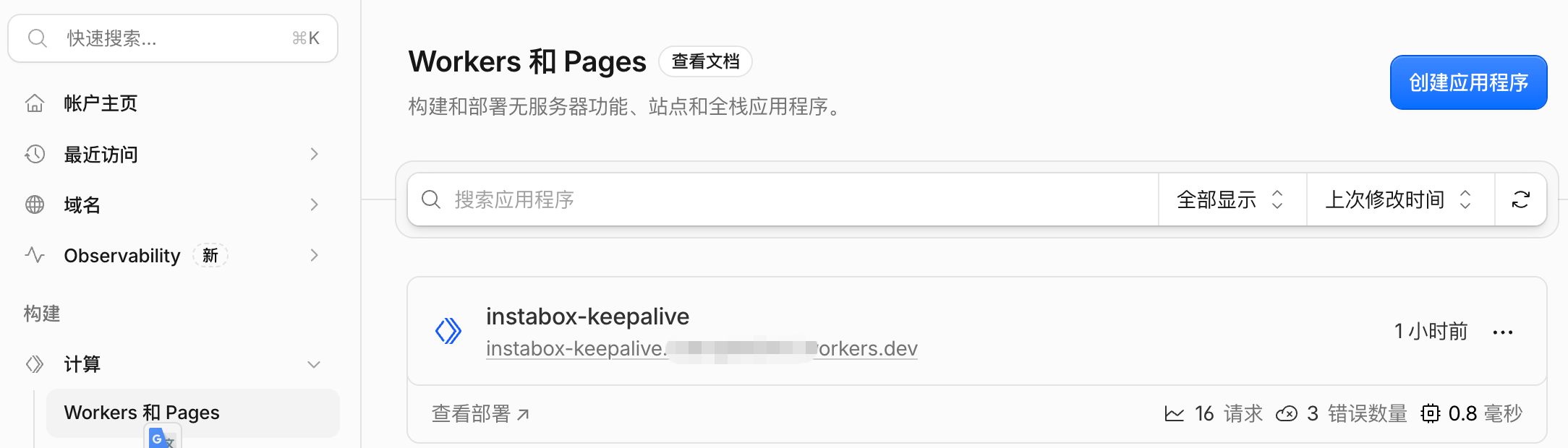
1.在cloudflare,创建worker。
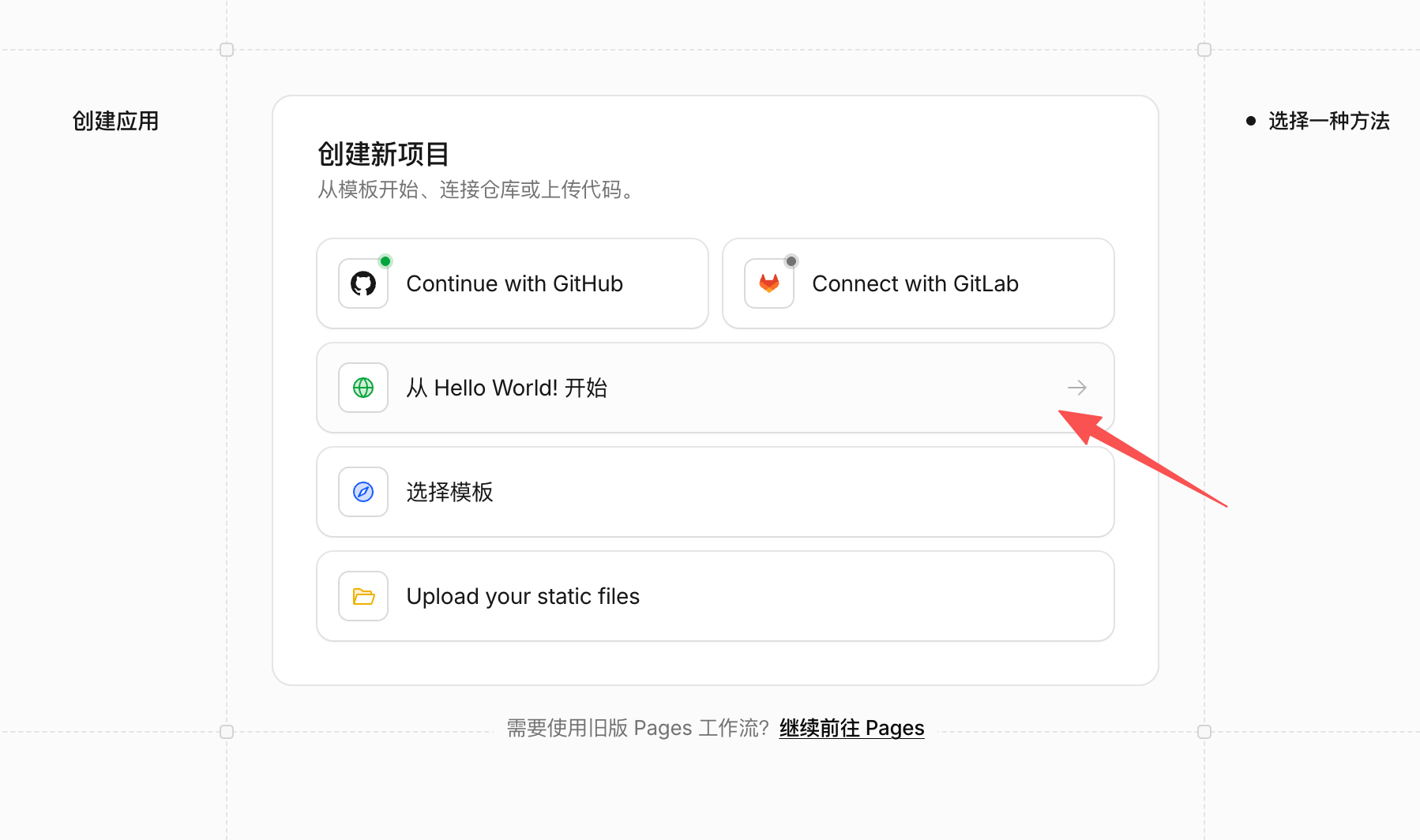
2.选择hello world
3,创建后编辑代码,贴入代码后重新部署
const API_ORIGIN = ‘https://api.instabox.sh’;
const 尝试次数 = 3;
const 请求超时毫秒 = 55_000;

// 依赖是可注入的,因此离线测试永远不会联系真实的机器。
导出异步函数 runKeepalive(env, {
fetchImpl = fetch,
sleep = (ms) => new Promise((resolve) => setTimeout(resolve, ms)),
} = {}) {
const key = env.INSTABOX_API_KEY;
const machineId = env.INSTABOX_MACHINE_ID;
if (typeof key !== 'string' || !/^ibk_[A-Za-z0-9_-]$/.test(key) || key === 'ibk_REPLACE_ME') {
throw new Error('配置 INSTABOX_API_KEY 密钥。');
}
if (typeof machineId !== 'string' || !/^m_[A-Za-z0-9_-] $/.test(machineId)) {
throw new Error('配置一个有效的 INSTABOX_MACHINE_ID。');
}

let lastFailure = '请求失败';
for (let attempt = 1; attempt <= ATTEMPTS; attempt ) {
const controller = new AbortController();
const timeout = setTimeout(() => controller.abort(), REQUEST_TIMEOUT_MS);
let 状态;
让机器;
尝试 {
const response = await fetchImpl(${API_ORIGIN}/v1/machines/${machineId}/wake, {
方法:‘POST’,
headers: { 'X-API-Key': key, Accept: 'application/json' },
重定向:‘手动’,
signal: controller.signal,
});
状态 = 响应.状态;
if (status === 200) {
machine = await response.json();
} 否则 {
// 永远不要记录上游的响应体、请求头或 API 密钥。
await response.body?.cancel();
}
} 捕获 {
// 不要传播可能包含请求详情的传输错误。
lastFailure = '网络、超时或无效的 JSON 响应';
status = 未定义;
} 最终 {
clearTimeout(超时);
}

if (status === 200) {
  if (machine?.id !== machineId || machine?.state !== 'running') {
    throw new Error('HTTP 200 did not confirm the expected machine is running.');
  }
  return { machineId, state: 'running', attempt };
}
if (status !== undefined) {
  lastFailure = `HTTP ${status}`;
  const retryable = status === 409 || status === 429 || status >= 500;
  if (!retryable) {
    throw new Error(`Wake rejected: HTTP ${status}. Check credentials, permissions, machine ID and account status.`);
  }
}
if (attempt < ATTEMPTS) await sleep(10_000 * attempt);
}
抛出新错误(Wake failed after ${ATTEMPTS} attempts: ${lastFailure}.);
}

默认导出 {
异步 定时(controller, env, ctx) {
// 等待作业,以便错误被记录为失败的 Cron 调用。
尝试 {
const result = await runKeepalive(env);
console.log(JSON.stringify({ event: 'instabox_wake_ok', …result }));
} 捕获 (错误) {
console.error(JSON.stringify({ event: 'instabox_wake_failed', message: error.message }));
抛出错误;
}
},
异步获取() {
// HTTP 请求无法触发唤醒或检查秘密。
return new Response('未找到', { status: 404 });
},
};
4.添加变量INSTABOX_API_KEY:

5.添加变量INSTABOX_机器_ID:
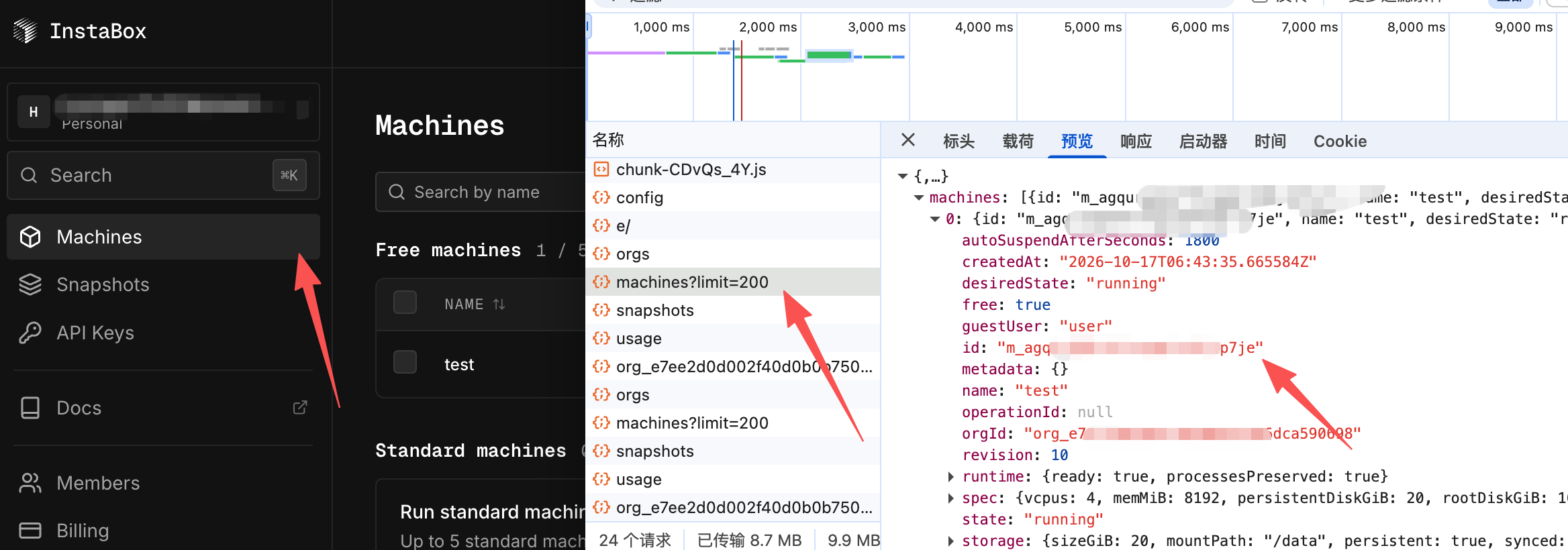
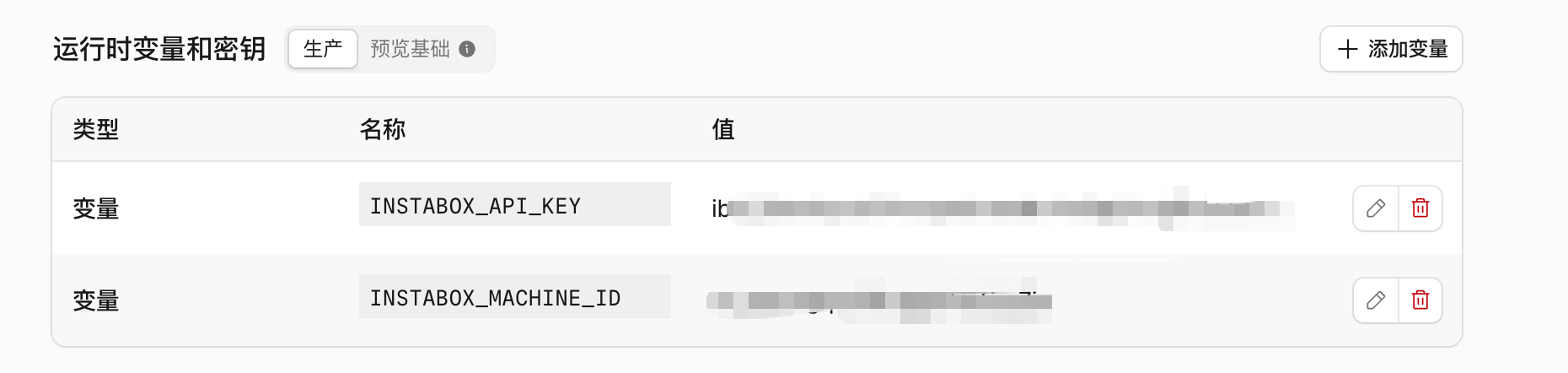
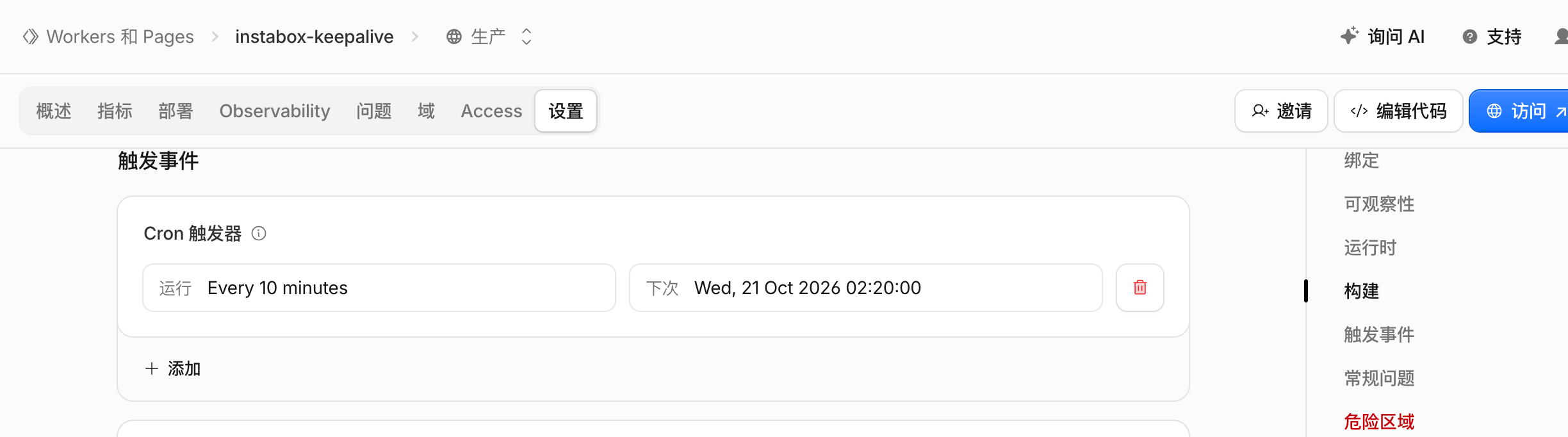
6.添加定时任务:
本文由喵总原创,采用 CC BY-NC-SA 4.0 发布。转发请带上原文地址,别只截走图片。
读到这里,admin已经从键盘上起来了。
如果这篇帮到了你,留个爪印再走。
原文链接
https://miaozong.cn/archives/31/
评论区
暂无评论还没有一条评论。沙发是喵总的,但它今天不在家。